Calorie Burndown
The number Health doesn't show.
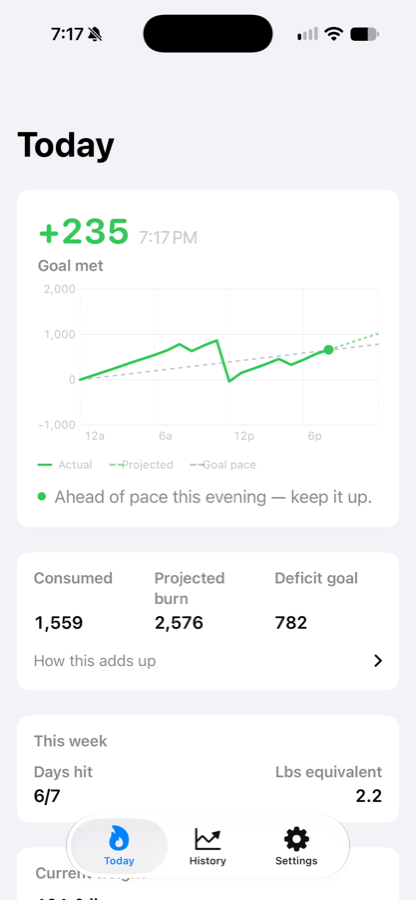
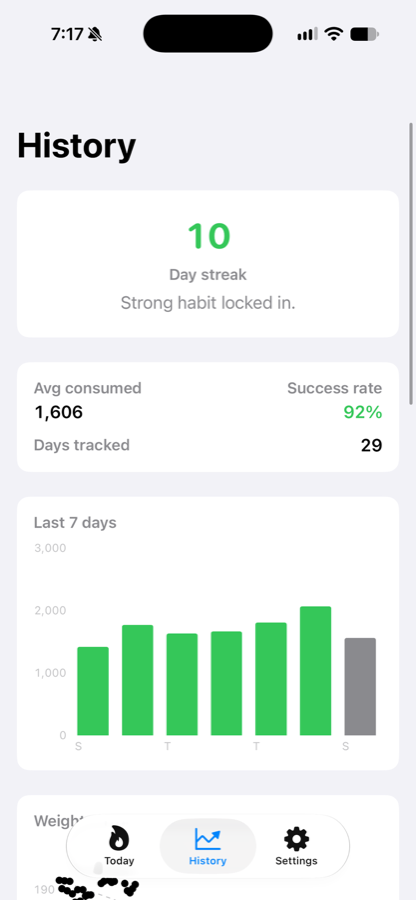
You already log what you eat somewhere, and your Watch already counts what you burn. Calorie Burndown reads both from Health and answers the one question neither app does: given today, are you on pace for your goal?
Every feature is free. No paywall, no subscription, no account.
It doesn't log anything
No food database, no barcode scanner, no "what did you have for lunch". Keep using whatever app you already use. Burndown reads what lands in Health and does the arithmetic against a goal and a date you set.
On your wrist, without your phone
The watch app reads Health itself rather than waiting on a relay, so the numbers are right on a run with your phone at home. There are watch face complications too.
What you'll need
A calorie-tracking app that writes what you eat to Health, and an Apple Watch recording what you burn. If you already have both, this turns them into a number neither one gives you. If you don't, there's nothing here for it to read.
Questions
Why do my iPhone and iPad show different numbers?
Health reaches an iPad through iCloud rather than directly, and can run an hour or more behind. The app tells you when its data last arrived so you can see that is what is happening. Opening Health on the iPad usually prompts a sync.
Does the watch complication always stay current?
Usually, not always. watchOS decides when to refresh it, and after an app update it can stop until you restart your Watch. When its numbers are old it says so rather than showing a stale figure as if it were current.
Do I have to log food?
Yes — that half is manual, in whatever app you prefer. Burndown never invents it: a day with nothing logged is shown as unlogged rather than as a day you ate nothing.